
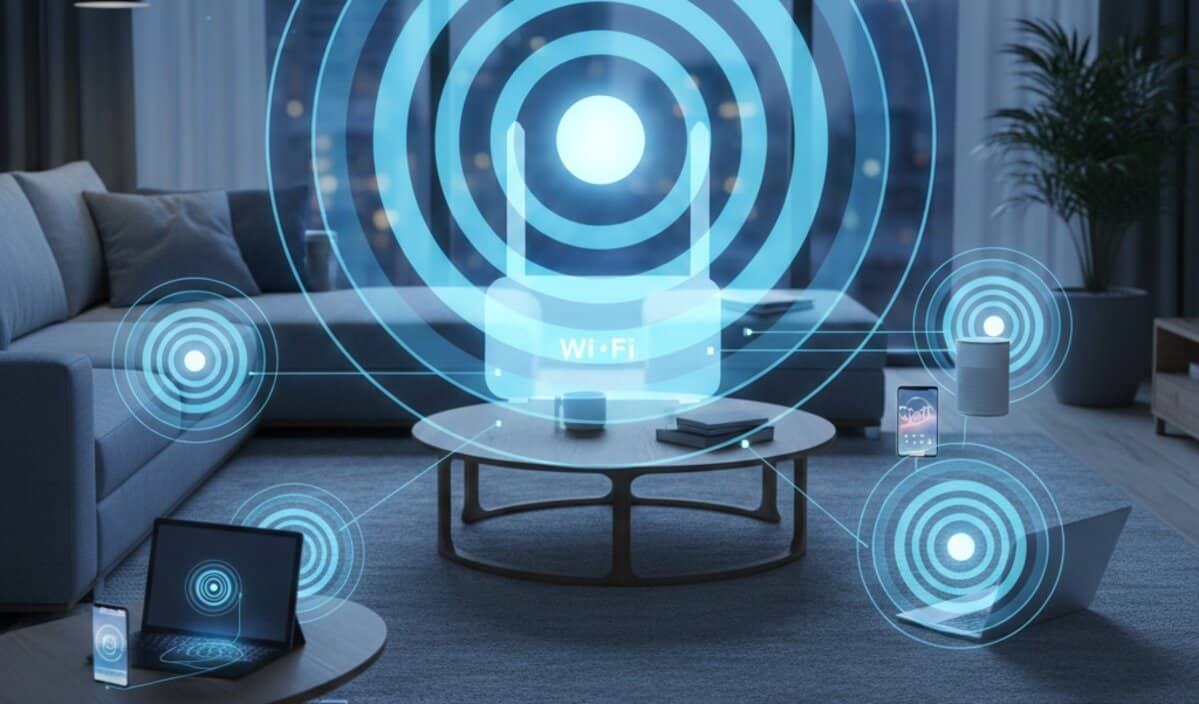
You’re probably reading this while connected to a network that you can’t see, touch, or smell, yet you’d likely feel a localized sense of panic if it suddenly vanished. We’ve reached a point where asking for the Wi-Fi password is as common as asking for a glass of water when visiting a friend. It’s the invisible glue of our modern lives. But have you ever actually stopped to think about what that word—Wi-Fi—actually means?
If you’re like most people, you probably have a vague idea that it’s “the internet,” or maybe you’ve heard some tech-savvy person mention radio waves. But the reality of what Wi-Fi is, where the name came from, and how it’s evolving right now is actually a lot more interesting than the technical manuals suggest. It’s a story of branding, accidental myths, and some truly clever physics that makes your digital world possible. Before we dive into the “how,” it’s worth checking out our latest guide on why passwords aren’t enough anymore because a fast connection doesn’t mean much if the digital door is left unlocked.
Key Takeaways
- The term Wi-Fi is a marketing name created in 1999 that doesn’t actually stand for anything, despite the common myth that it means Wireless Fidelity.
- Modern Wi-Fi works by translating data into radio waves across three primary frequency bands—2.4 GHz, 5 GHz, and the ultra-clean 6 GHz—to provide high-speed wireless connectivity.
- The latest evolution, Wi-Fi 7, and the emerging Wi-Fi 8 focus on extreme reliability and multi-link operations to ensure your connection stays stable even in crowded digital environments.
What does Wi-Fi stand for?
Let’s get the biggest shocker out of the way first. You’ve almost certainly heard that Wi-Fi stands for “Wireless Fidelity.” It sounds official, doesn’t it? It fits the pattern of “Hi-Fi” (High Fidelity) for audio equipment. However, the truth is that Wi-Fi doesn’t stand for anything at all. It isn’t an acronym. It isn’t a shortened version of a long, complicated technical phrase.
The name was created in 1999 by a branding firm called Interbrand. At the time, the group of companies behind the technology—then known as the Wireless Ethernet Compatibility Alliance (now the Wi-Fi Alliance)—needed something a bit more “consumer-friendly” than the official technical name: IEEE 802.11b Direct Sequence. Let’s be honest, nobody is walking into a store and asking if they have an “IEEE 802.11b” hotspot. It just doesn’t have the same ring to it.
Interbrand came up with a list of ten names, and “Wi-Fi” was the winner. The confusion about “Wireless Fidelity” actually came from the Wi-Fi Alliance themselves. Early on, they were worried that people wouldn’t understand what the name meant, so they used the slogan “The Standard for Wireless Fidelity” in some of their marketing. They eventually dropped it, but the myth had already taken root. Phil Belanger, a founding member of the Wi-Fi Alliance, has been on record for years trying to set the record straight: the name is just a name. It was chosen because it was catchy and sounded like something people were already comfortable with.
The Invisible Magic: How Wi-Fi Actually Works
To understand the meaning of Wi-Fi in a practical sense, you have to look at what’s happening in the air around you. Think of your Wi-Fi router as a very sophisticated, two-way radio. When you click a link on your phone, that request is translated into a binary code (1s and 0s), which is then converted into a radio signal. Your router receives that signal, decodes it, and sends the information through a physical wire to the global internet.
The process happens in reverse to get the data back to you. It’s a constant, high-speed conversation happening at frequencies that your ears can’t hear and your eyes can’t see. These radio waves are quite similar to the ones used by your car radio or a microwave oven, but they operate at much higher frequencies, which allows them to carry a lot more data.
The Three Lanes of the Highway
In the world of Wi-Fi, we mostly talk about three “frequency bands.” Think of these as different lanes on a highway:
- 2.4 GHz: This is the old, reliable lane. It’s got a great range and can push through walls without much trouble, but it’s incredibly crowded. Your old cordless phones, baby monitors, and even your microwave are all fighting for space here, which usually leads to those annoying “traffic jams” we call interference.
- 5 GHz: This lane is much faster and less crowded. The trade-off is that it has a shorter reach and really struggles to get through thick brick walls or heavy floors. It’s your best bet for gaming or streaming 4K video, provided you’re actually in the same room as the router.
- 6 GHz: This is the brand-new lane, introduced with Wi-Fi 6E and expanded with Wi-Fi 7. Think of it as a pristine, multi-lane superhighway that only the latest gadgets can use. It’s incredibly fast and virtually free of interference, though its range is even shorter than 5 GHz.
Why Your Wi-Fi Isn’t “The Internet”
This is a distinction that trips a lot of people up. You might say, “The Wi-Fi is down,” when you actually mean your internet service provider has an outage. It’s helpful to think of the internet as the destination and Wi-Fi as the car that gets you there.
If your car (Wi-Fi) breaks down, you can’t get to the destination. But if the road (the internet connection coming into your house) is blocked, even a perfect car won’t help. You can have a perfectly functioning Wi-Fi network in your house that lets your laptop talk to your printer, even if you don’t have an internet connection at all. Wi-Fi is just the local “bridge” that connects your devices to the router.
The Evolution: Wi-Fi 7 and the Dawn of Wi-Fi 8
Technological standards change faster than we can keep up with. You probably remember when “Wi-Fi 5” was the big thing. Then came Wi-Fi 6, which made our connections more efficient in crowded places.
As we move through 2026, Wi-Fi 7 has become the gold standard for high-end homes and offices. Its big “trick” is something called Multi-Link Operation (MLO). In older versions of Wi-Fi, your phone would pick one band (like 5 GHz) and stick to it. If that band got congested, your connection would stutter. Wi-Fi 7 changes the game by letting your device connect to multiple bands at the same time. It can use 5 GHz and 6 GHz simultaneously to move data, making the connection feel way more stable and snappy.
But the tech world never sits still. We are already seeing the first glimpses of Wi-Fi 8 (officially known as IEEE 802.11bn). Interestingly, Wi-Fi 8 isn’t trying to break land-speed records. We’ve hit a point where 40+ Gigabits per second is more than any normal house could ever use. Instead, the focus has shifted to “Ultra High Reliability.” The goal is to make sure your connection never drops a single packet of data, regardless of how many smart lightbulbs or noisy neighbors you have. It’s all about making wireless feel as solid as a physical cable.
Why Walls and Microwaves are Your Wi-Fi’s Enemies
Have you ever noticed that your connection is great in the living room but dies the moment you go into the kitchen or the bathroom? This isn’t just bad luck; it’s physics.
Radio waves at higher frequencies (like 5 GHz and 6 GHz) are very bad at passing through solid objects. Dense materials like brick, concrete, and especially mirrors or water-filled pipes act like shields. If your router is hidden inside a wooden cabinet or tucked behind a giant fish tank, you’re essentially suffocating your signal before it even has a chance to reach you.
Interference is the other “silent killer.” Since so many devices are crammed into the 2.4 GHz band, an old router next door or even a running microwave can create enough “noise” to drown out your signal. If your video call starts lagging the second someone heats up a burrito, you’re seeing physics in action.
The Rise of Mesh: Making “Dead Zones” Extinct
In the past, we tried to fix bad coverage by using “extenders.” These were often frustrating because they created a second network with a different name, and your phone wouldn’t always switch to the stronger one.
Today, Mesh Wi-Fi has largely solved this. Instead of one powerful router trying to blast a signal through five walls, you have a system of several smaller “nodes” placed around your home. They all share the same network name and talk to each other to figure out the best way to get data to your device. As you wander from the bedroom to the kitchen, the system just “hands off” your connection from one node to the next. You don’t even notice it happening—the speed just stays consistent. It’s really the only way to handle large or oddly shaped homes these days.
Staying Safe: Why WPA3 Matters Now
Security is one of those things you don’t think about until it’s too late. For a long time, WPA2 was the standard for protecting your Wi-Fi password. But hackers eventually found ways to crack it.
By now, you should ensure your router and devices are using WPA3. It’s the latest security protocol that makes it much harder for someone to guess your password or intercept your data while it’s traveling through the air. Even if you have a “simple” password, WPA3 provides better protection against “brute force” attacks where a computer tries thousands of combinations per second.
Is Wi-Fi Harmful? (The Facts)
You might have seen articles or videos claiming that Wi-Fi signals are dangerous to your health. It’s a common concern, but it’s important to look at the science. Wi-Fi uses non-ionizing radiation. This is a very different category than ionizing radiation (like X-rays or UV rays), which has enough energy to damage your DNA.
The energy emitted by a Wi-Fi router is incredibly low—far lower than the sunlight hitting your skin or even the signal coming from a cell tower. Decades of research from organizations like the World Health Organization have consistently found no credible evidence that the low levels of radiofrequency from Wi-Fi cause health problems. You’re exposed to more “radio noise” from the natural environment and FM radio stations than from your home router.
The Future: AI and Beyond
Looking ahead, Wi-Fi is becoming “smarter.” We are seeing more routers that use Artificial Intelligence to manage their own settings. Instead of you having to manually change a “channel” because of interference, the router monitors the airwaves in real-time and shifts its frequency automatically to stay in the clearest lane.
We’re also seeing a convergence between Wi-Fi and satellite technology. With the massive growth of Low Earth Orbit (LEO) satellites, many modern routers can now act as gateways that seamlessly switch between fiber-optic internet and satellite backup if your main line goes down. The “meaning” of Wi-Fi is shifting from just being a “wireless cord” to being a completely intelligent, self-healing environment.
Common Questions about Wi-Fi
Does Wi-Fi work without a cable?
Yes and no. The connection to your device is wireless, but the router itself almost always needs to be plugged into a source of internet, such as a fiber-optic line, a cable line, or a 5G/satellite modem. There is no such thing as “internet out of thin air” without a base station connected to a wider network somewhere.
Can I have Wi-Fi without the internet?
Absolutely. You can set up a Wi-Fi network to connect your devices to each other. For example, you could have a Wi-Fi-connected security camera send footage to a local computer, or print a document from your phone to a wireless printer, all without an active internet subscription. You just won’t be able to browse websites or stream movies.
Is Wi-Fi faster than a wired connection?
Historically, an Ethernet cable was always faster and more stable. However, with Wi-Fi 7, wireless speeds can technically hit peaks that are actually faster than the standard Ethernet ports on most computers. That said, a cable is still going to be more consistent—it’s just not prone to the same interference from walls or other gadgets.
Why does my Wi-Fi slow down when I have guests?
Each router has a limited amount of “airtime” it can give to devices. Every phone, tablet, and smart watch your guests bring is competing for a slice of that time. Even if they aren’t actively using their phones, the devices are constantly “checking in” with the router, which creates overhead and slows things down for everyone.
What is Li-Fi and is it the same as Wi-Fi?
Li-Fi is a newer technology that uses light waves (from LED bulbs) instead of radio waves to transmit data. It can be much faster and more secure because light doesn’t pass through walls, but it requires a direct line of sight. It’s seen as a supplement to Wi-Fi rather than a replacement.
Wrapping Up
At the end of the day, Wi-Fi is one of those rare technologies that managed to become a household name without anyone actually knowing what it stands for. It’s a testament to how well it works that we only ever talk about it when it stops working. Whether you’re using the cutting-edge Wi-Fi 7 or just trying to get a signal in your back bedroom, understanding a bit more about the “magic” in the air can help you make better choices about your tech.
What’s been your biggest Wi-Fi headache lately? Is there a “dead zone” in your house that drives you crazy, or have you already made the jump to a Mesh system? Let us know in the comments below—we’d love to hear your experiences!
And if you found this guide helpful, don’t forget to follow us on Facebook, X (Twitter), or LinkedIn for more updates on how the tech in your home is changing!
Sources
- www.wi-fi.org/
- www.wballiance.com/wireless-broadband-alliance-reveals-its-wi-fi-predictions-for-2026-and-beyond/
- www.ieee.org/
- www.mediatek.com/tek-talk-blogs/wi-fi-7-vs-wi-fi-8-whats-the-difference

IoT Machine Learning 2026: From Connected Sensors to Autonomous Agents
IoT Devices in 2026: Why the Future is Autonomous (Not Just Smart)