
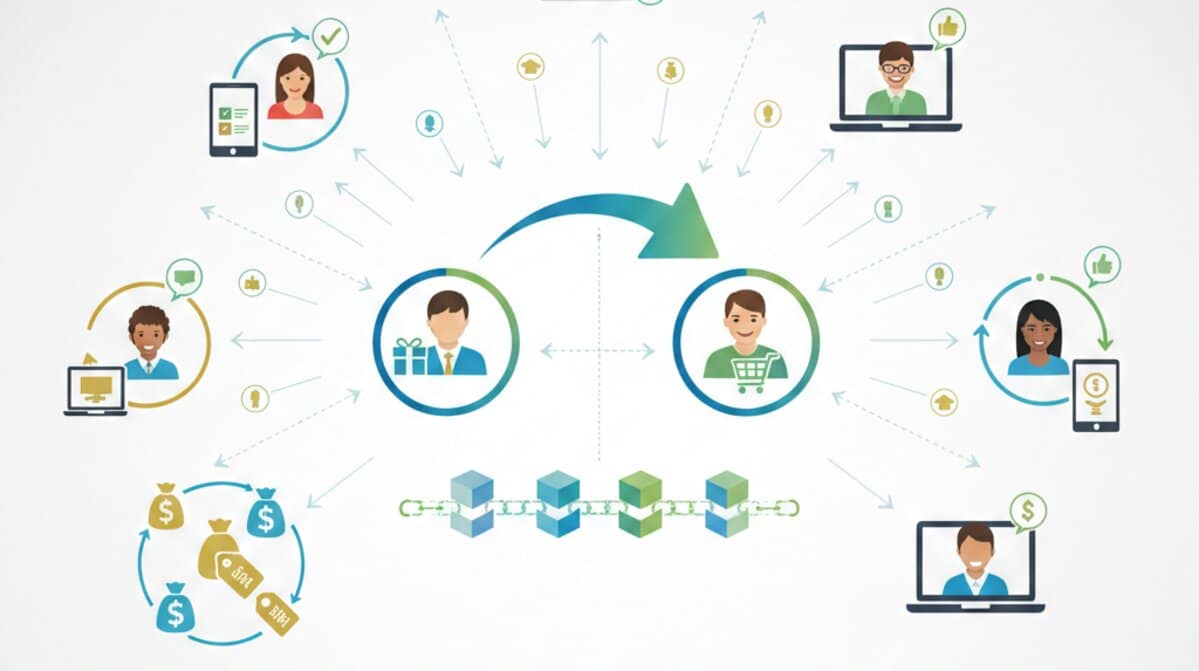
In the digital age, we talk a lot about “word of mouth,” but it rarely happens by accident anymore. When you see a friend post a link to their favorite meal-kit service or a colleague send you an “invite code” for a new project management tool, you’re looking at the engine of modern growth: the referral link.
Key Takeaways
- A referral link is a unique, trackable URL that identifies you as the person who recommended a product or service to a new user.
- It creates a “win-win-win” loop where the brand grows, the new customer often gets a discount, and you earn a reward for your advocacy.
- Modern links are designed for one-click sharing across social media and messaging apps, making organic recommendations effortless to track.
What Exactly Is a Referral Link?
Think of a referral link as a digital breadcrumb. On the surface, it looks like a standard web address, but it’s packed with a unique identifier—usually a string of letters or numbers at the end—that belongs specifically to you.
When someone clicks that link and takes an action, like signing up for a newsletter or buying a pair of sneakers, the company’s backend software immediately knows you were the one who sent them. It’s basically the digital version of telling a shopkeeper, “Mike sent me,” but without the risk of the person behind the counter forgetting to make a note of it.
Why Do They Matter So Much Right Now?
You probably ignore 90% of the ads you see on your phone. We’ve all become a bit numb to the “Buy Now” banners and sponsored posts. However, if a person you actually know and trust sends you a link, you’re far more likely to click it.
Data consistently shows that referred customers have a higher “lifetime value.” This means they don’t just buy once and disappear; they tend to stick around longer and spend more than customers acquired through traditional advertising. Why? Because the trust is already there. The brand didn’t have to do the heavy lifting to win them over; you already did that work for them.
This same logic applies to how websites build authority. Just as a personal recommendation builds trust between friends, a high-quality link from a reputable site tells search engines that your content is worth visiting. If you’re looking to scale that authority beyond simple word-of-mouth, learning how to secure safe, organic guest post backlinks is the professional version of this trust-building exercise.
How the Magic Happens Under the Hood
It’s not just a static link; it’s a process. It usually follows a simple flow that looks something like this:
- The Generation: You join a program—maybe through an app you already use—and the system generates your unique URL.
- The Share: You send it via WhatsApp, post it on your LinkedIn, or drop it in a Slack channel.
- The Click: Your friend clicks it. At this moment, a “cookie” is often placed in their browser. This is a tiny piece of data that remembers you referred them, even if they don’t buy anything until three days later.
- The Conversion: The friend completes the goal (a purchase, a trial sign-up, etc.).
- The Reward: The system confirms the activity and automatically sends out your reward or credit.
Real Examples You’ve Probably Seen
You don’t have to look far to see these in action. Some of the most successful companies in the world were built on the back of these links.
Take Dropbox, for instance. In their early days, they didn’t spend millions on TV ads. They just gave you a referral link. If your friend signed up using your link, you both got extra storage space for free. It was simple, valuable, and required zero technical skill to share.
Then there’s Tesla. They’ve famously used referral links to give both the referrer and the buyer perks like free Supercharging miles or even the chance to win a new vehicle. It turns every owner into a motivated salesperson.
In the world of fashion and apps, Rakuten or Uber are classic examples. You send a link, your friend gets $20 off their first ride or order, and you get $20 in credit. It’s a perfect circle of value.
Referral Links vs. Affiliate Links: The Big Confusion
People often use these terms interchangeably, but they aren’t the same. It’s a subtle but important distinction.
An affiliate link is usually part of a professional partnership. If a tech blogger reviews a laptop and includes a link to buy it on Amazon, that’s an affiliate link. They are often “strangers” to the buyer, acting as a professional recommender to a large audience.
A referral link, however, is personal. It’s meant for everyday customers. You aren’t necessarily trying to reach 10,000 strangers; you’re sharing something you actually use with your own circle. The rewards look a bit different, too—while affiliates are usually chasing cash commissions, referrers are usually happy with store credit, a discount, or a free feature upgrade.
The Power of the “Double-Sided” Reward
If a company asks you to share a link just so you can get a discount, it can feel a little bit selfish, right? You might hesitate to send it to a friend because you don’t want to seem like you’re “using” them for a coupon.
This is why the most effective referral links use a double-sided incentive. This is the “Give $20, Get $20” model. Suddenly, you aren’t just hunting for a kickback; you’re actually handing your friend a gift. It removes the social friction and makes people much more willing to spread the word.
Common Questions About Using Referral Links
Can I share my referral link anywhere?
Not necessarily. Most brands have “fair use” policies. They want you to share it with friends, family, and your actual social followers. If you start spamming your link on coupon sites or random forums, the company might flag your account and void your rewards. It’s always best to keep it authentic.
Do these links ever expire?
Sometimes. While the link itself might still point to the website, the “cookie” that tracks the referral often has a window—usually 30, 60, or 90 days. If your friend clicks the link but waits six months to buy, you might not get the credit.
Is it safe to click a referral link?
Generally, yes, if it’s from a brand you recognize and a person you know. However, like any link on the internet, you should be cautious. Check that the URL looks legitimate (e.g., brandname.com/refer/yourname) and isn’t a strange, scrambled mess of characters that looks like a phishing attempt.
Why isn’t my referral link working?
The most common reason is “ad blockers” or browser settings that block cookies. If your friend has high-security settings that prevent tracking, the company’s system might not be able to “see” that they came from your link. Another reason could be that the person was already a customer; most programs only reward you for bringing in new users.
The Future of the Link
We’re seeing a shift toward more “frictionless” sharing. Instead of a long, clunky URL, a lot of apps are moving toward simple referral codes you can just type in at checkout. Or they use deep-links that open the app and apply the discount automatically without you having to lift a finger.
The goal is always the same: make it so easy to recommend a good product that it feels like a natural part of the conversation.
If you’ve ever discovered a great tool or a favorite brand through a friend, you’ve seen the power of this system. It’s not just about marketing; it’s about making sure the best products win by letting the people who love them do the talking.
What’s your experience with these? Have you ever earned something significant just by sharing a link, or do you find the process too clunky? We’d love to hear your thoughts in the comments below!
And if you found this guide helpful, don’t forget to follow us on Facebook, X (Twitter), or LinkedIn for more insights into the world of digital growth and marketing.
Sources:
- www.referralhero.com/blog/what-is-a-referral-program
- www.referral-factory.com/learn/what-is-a-referral-link
- www.yotpo.com/blog/how-do-referral-programs-work/
- www.shopify.com/blog/15679636-referral-marketing-101-7-tactics-to-launch-your-own-referral-campaign
- www.tapfiliate.com/blog/how-to-set-up-referral-link-tracking_bb/

CRM Marketing Automation in 2026: The Strategic Guide to Scaling Your Revenue
The Industrialization of Fraud: How to Stay Secure in a Deepfake World