
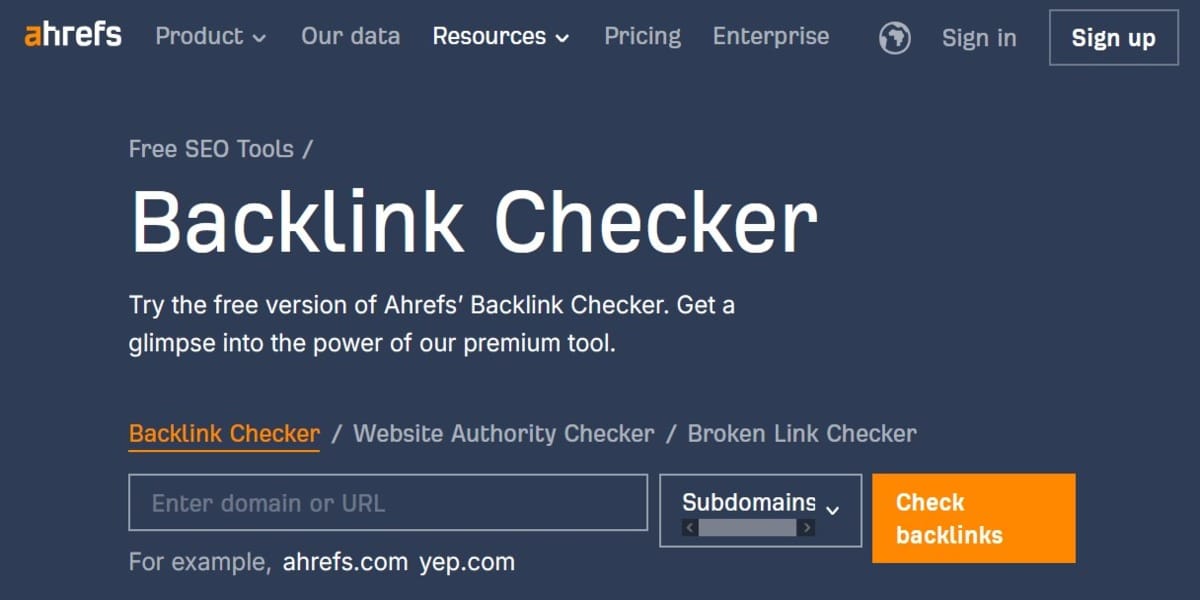
Ahrefs is a powerful tool for website owners, marketers, and SEO pros to analyze and improve their backlink profiles with their backlink checker tool. Now, let’s be honest: If you’re serious about being visible online, you’ve probably either used Ahrefs or you know someone who swears by it. It’s one of those essential pieces of kit. In this guide, we are going to explore every detail about Ahrefs, its features, how you can use it, and the best practices that you can follow to get the absolute best out of it, particularly when you’re checking Ahrefs backlinks.
What are Backlinks?
Backlinks—you might call them inbound links or incoming links—are basically just links from one website to another. Simple enough, right? But here’s the thing: they aren’t just little blue text trails. They do so much more than just connect pages. Backlinks not only shape the credibility of a website, but they also play a huge, defining role in the website’s ranking on search engines like Google. Think of it this way: a website that links to another website is essentially giving it a vote of confidence, endorsing it as being relevant and credible. This creates a powerful signal, a kind of digital vote that search engines take very seriously indeed.
SEO and Backlinks: Why They Matter
If you’ve spent any time in the SEO world, you know just how much backlinks matter. They are, for lack of a better word, the foundation of your site’s authority. Why are they such a big deal, though? Well, it boils down to four major benefits that impact everything you do online.
First, let’s talk about Higher SERP Rankings. Websites with more high-quality, relevant backlinks are much more likely to rank higher in the search results pages. Backlinks are like votes; therefore, the more votes you have, especially good ones, the more visible you will be on search engines. This isn’t just theory, mind you; it’s a core, fundamental part of how the major search engines decide who’s trustworthy enough to show at the top.
Then there’s the whole concept of Higher Referral Traffic. Getting backlinks means you’re receiving traffic directly from other websites. That’s obvious, I suppose, but the real benefit is that the chances of users clicking through to your site are greater if they see a link on a reputable site that their audience already trusts. It’s pre-qualified traffic, which is invaluable.
The next benefit is less about clicks and more about long-term positioning: Establishing Authority. One of the undeniable benefits of cultivating a good backlink profile is that it can absolutely help you establish your website as an authority in your niche. This, in turn, can significantly increase organic traffic and enhance your brand’s reputation over time. Who wouldn’t want that?
Finally, link building is often just good business. Relationship Development is a key outcome. Link-building strategies frequently mean networking and reaching out to other businesses or bloggers, which can result in collaboration opportunities later on. It’s a chance to build real relationships that go beyond just a link—and that’s something a tool can’t buy you.
Ahrefs Backlinks Checker Features: The Power Under the Hood
Of all the backlink analysis tools available today, the Ahrefs Backlinks Checker is honestly one of the most complete. It’s the kind of comprehensive tool that many pros use daily, treating it as their first port of call for any analysis. What makes it so powerful? Here are some of its top features, and why they matter to your bottom line.
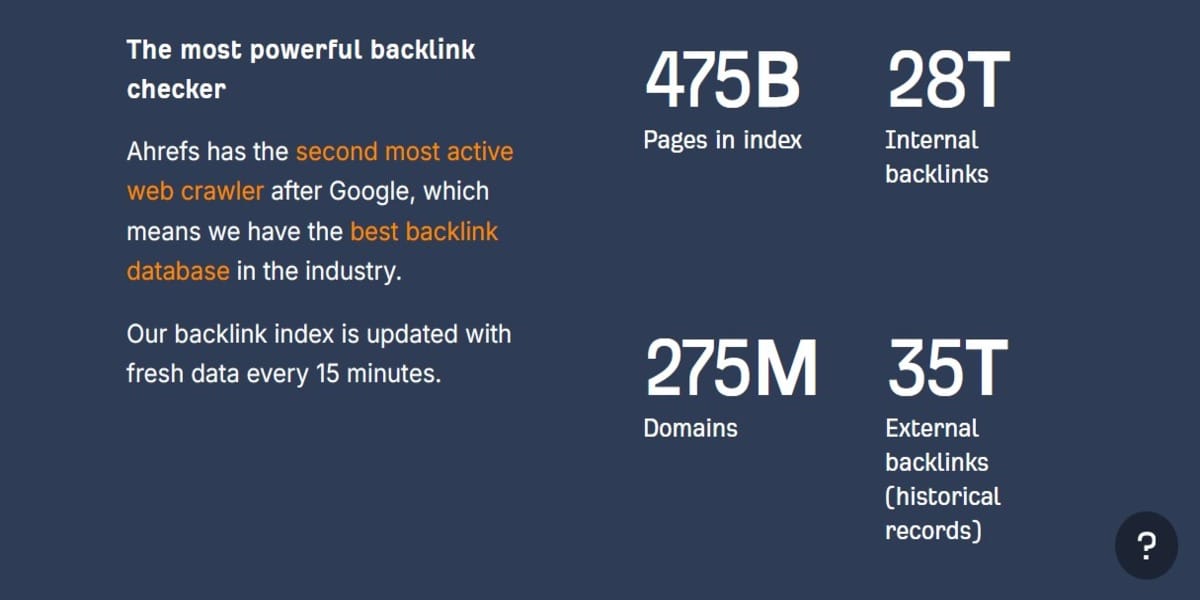
Backlinks Database: Extensive and Up-to-Date
Ahrefs has one of the largest backlink databases in the industry. It’s truly massive. And crucially, it is updated frequently. You get access to a comprehensive database of backlinks that provides near real-time data for nearly any website you can think of. So, you tell me: how else are you going to get the full, accurate picture of your backlink profile if you aren’t pulling from a reliable, up-to-date source?
Key Metrics: Understanding Your Site’s Strength
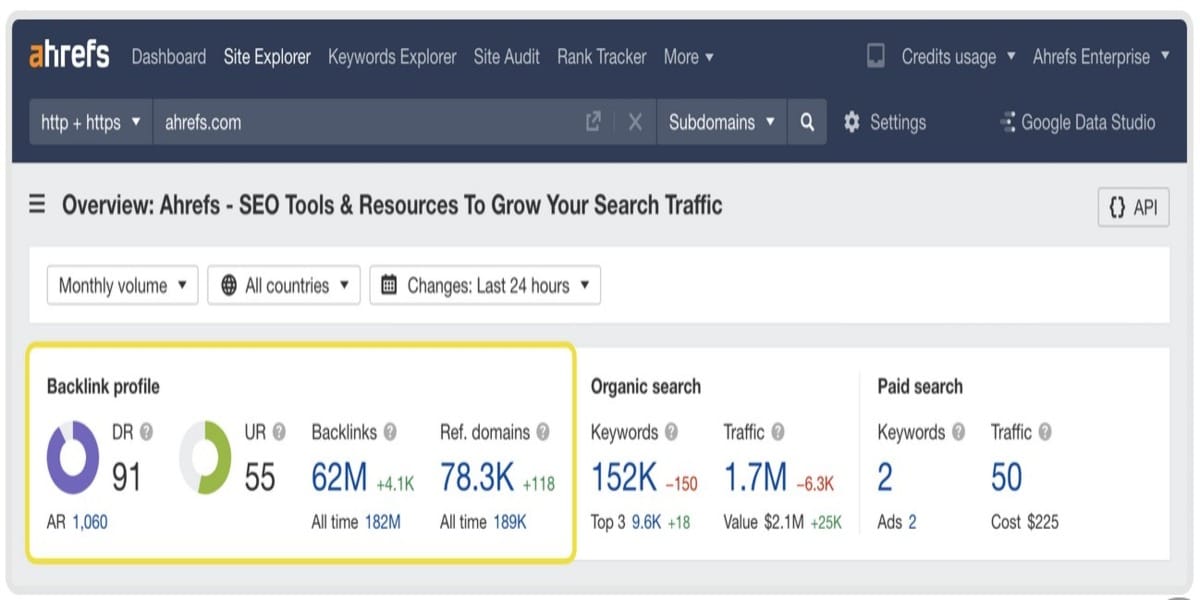
Ahrefs is clever; it doesn’t just show you lists of links. It gives you proprietary metrics—little scorecards—to quantify the value and strength of those links.
- Domain Rating (DR): This proprietary metric assesses the strength of a website’s backlink profile on a scale from 0 to 100. A higher DR indicates a stronger backlink profile. It’s essentially a measure of your site’s overall link authority relative to every other site in their index.
- URL Rating (UR): Similar to DR but focused on individual pages, UR measures the strength of a specific page’s backlink profile. A high UR can indicate a powerful page that is passing significant link equity to other parts of your site, which is great.
- Ahrefs Rank (AR): This metric ranks websites based on their backlink profile strength relative to all other websites in Ahrefs’ database. A lower number means a better ranking on their internal leaderboard.
Detailed Backlink Reports: Digging into the Details
Ahrefs provides reports that break down various aspects of a site’s backlinks in excruciating detail. This is where you really get your hands dirty with the data and find actionable insights.
- Referring Domains: This report shows you how many unique domains link to your site. This is crucial for assessing the diversity of your backlink profile. Diversity is key—you want links from hundreds of unique sites, not just a few times from one source. Are you getting links from the whole web, or just a small corner of it?
- Anchor Text Analysis: The tool analyzes the actual anchor text used in your backlinks, helping you understand how your content is being referenced across the web. Are people linking to you using generic terms or targeted keywords? Ahrefs will tell you, and that can highlight potential over-optimization issues before they become penalties.
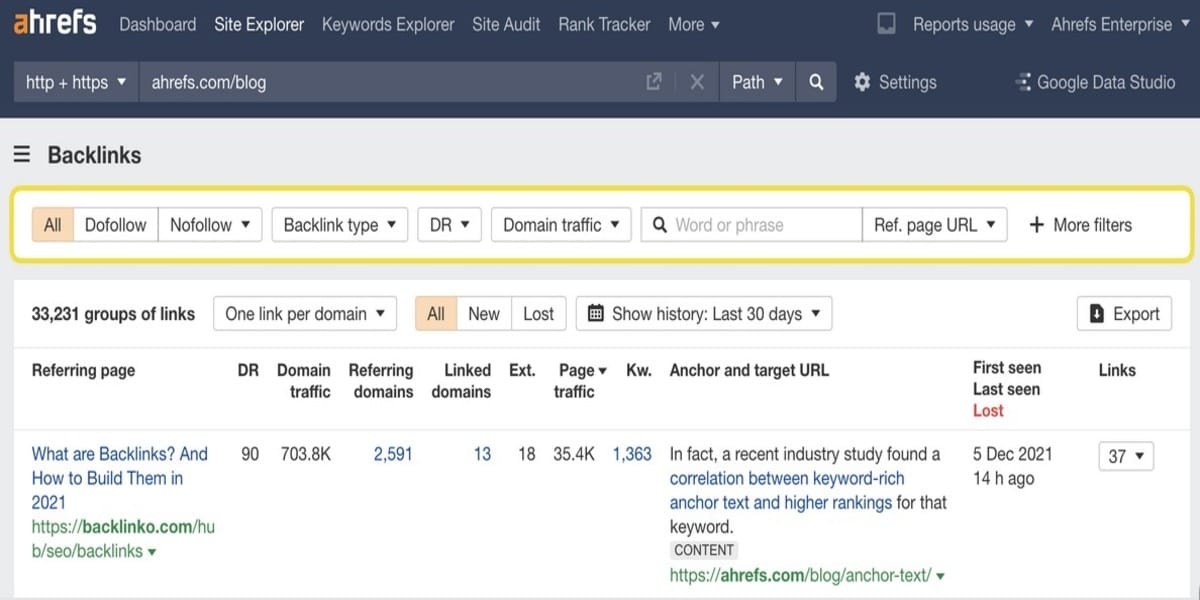
- Link Type: You can filter backlinks by type—whether they are Dofollow, Nofollow, UGC, or Sponsored—which is essential for understanding the quality and potential impact of each link. Dofollow links generally pass the most ranking power, but the others are still important for a natural-looking profile. It’s not a one-size-fits-all situation.
Monitoring Changes and Competitive Analysis
Ahrefs lets you track your backlink profile over time. That includes monitoring new backlinks gained and lost links to see how your link-building efforts are performing. You can’t improve what you don’t measure, right?
One of the most important features of Ahrefs is the ability to analyze competitors’ backlink profiles. Enter a competitor’s URL and determine where they get their backlinks from. It can help you find potential link-building opportunities for your website. This is pure gold for finding easy wins.
Disadvantages of Ahrefs Backlinks Checker: The Trade-Offs
No tool is perfect, and Ahrefs is no exception. While it’s powerful, you should be aware of a few trade-offs.
- Pricing: Ahrefs no longer offers a free trial for its paid subscriptions, and its pricing is on the higher end for smaller businesses or individual users. Its reporting feature is typically limited on entry-level plans when compared to higher-tier plans, which means you might need to upgrade to access certain advanced features.
- Using Ahrefs for Outreach: Because Ahrefs doesn’t have dedicated, built-in project management tools to approach outreach efforts like some other competitors do, the process is (you guessed it) largely manual. Users have to export data and orchestrate outreach using different tools. This can add an extra step to your link-building workflow.
- Mobile App Not Available: There is no mobile app available that would give mobile access to the platform, which can limit some users. A full analysis requires the desktop interface.
- Limited support: Customer support is in English only, and there is no phone support, either, which can make things hard for non-English speakers or anyone who prefers to speak with a human agent immediately. While their email support is generally responsive, it’s something to keep in mind.
Ahrefs Backlink Checker provides a powerful set of features and a large data pool for backlink analysis. Still, it may also come at a price, and some users may miss out on integrated outreach tools.
Steps to Use Ahrefs Backlinks Checker: Your Quick Guide
Ready to dive in? Here are the basic steps involved in using Ahrefs’ Checker to analyze your backlink data.
Step 1: Accessing Ahrefs
To use Ahrefs Backlinks Checker, go to the Ahrefs website. While there is a free-to-use version called Ahrefs Webmaster Tools, for the full features, you will need to log in to your paid account. You may be required to register an account if you do not already have one.
Step 2: Type in Your Domain / URL
Once logged in, navigate to the Site Explorer tool. Search for your domain name or particular URL in the search box. You can specify whether you want insights on a whole domain (Domain mode) or a single page (Exact URL mode).
Step 3: Check Overall Metrics
After you paste your URL, Ahrefs prepares an overview report with the following:
- Total number of backlinks.
- Number of referring domains.
- Domain Rating (DR).
This first overview is actually a snapshot of your site’s backlink health. It’s your starting point, giving you the headline numbers right away.
Step 4: Explore Specific Backlinks
In the left-hand menu, click on the ‘Backlinks’ report. Ahrefs shows you a list of all backlinks to a site as well as details like:
- Linking domain.
- Anchor text.
- DR of linking domains.
It also tells you which sites are bringing in the most links to your backlink profile. You can use the powerful filters here to narrow down the results—maybe you only want to see dofollow links, for instance.
Step 5: Check out Referring Domains
Look at the ‘Referring domains’ report on the left. This list shows the unique domains linking to your site. Having a wide variety of domains referring to you is essential for a robust backlink profile. Find good sites that offer relevant links. Remember, a few links from 100 different domains is usually better than 100 links from one domain!
Step 6: Check the Anchor Text Distribution
The distribution of your Anchor Text can be crucial for SEO purposes. In Ahrefs, click the ‘Anchors’ section to see how other sites link back to you. You want to see a natural variety of anchor text: branded, naked URLs, and just a few highly targeted keywords. Get varied and natural anchor text instead of over-optimized phrases that may seem like spam.
Step 7: Benchmark against Competition
Enter the domain of a competitor to leverage Ahrefs’ competitive analysis features. Look at their highest top backlinks and analyze where they come from. Compare their best backlinks against yours, to point out some potential link-building opportunities. It’s not about copying, it’s about finding gaps in your own strategy.
Getting into Ahrefs Advanced Features and Tools: Going Deeper
Apart from the basic features, Ahrefs offers much more. You might find some of these tools invaluable for your strategy.
Site Audit: Not Just for Links
While technically a separate tool suite within Ahrefs, the Site Audit feature is a built-in broken link checker that looks for broken links on your website or on websites belonging to your competitors. This will help you fix your broken links and find great link-building opportunities on other sites. It’s a two-for-one deal: fix your own house and find new links outside.
Content Explorer: Finding What Works
The Content Explorer is a feature that helps you discover top-level content from within your niche based on both social shares and backlinks. Analyzing this information allows you to see trends and topics that click with your audience. You can use it to create your own content strategy. What content is earning links? That’s what you want to create!
Alerts Feature: Stay Notified
Ahrefs has an alert feature that tells users when they gain new backlinks or lose old ones over time. This way, you will receive notifications whenever there is a modification to your backlink profile without checking the tool manually all the time. This is a massive time-saver for busy SEOs.
Disavow Tool: Managing Toxic Links
If you find spammy or inferior quality backlinks that negatively affect your site reputation, use Ahrefs’ ‘Disavow links’ report, which can help you identify them. You can then use the data to create a Disavow file to submit to Google. It helps you manage bad links easily by telling Google not to consider them in ranking calculations. Remember, you should only disavow links if you suspect a manual action or significant spam—use this feature with caution!
Best Practices for Using Ahrefs Backlinks Checker: Separating the Pros from the Tourists
Look, getting into Ahrefs is easy, but actually squeezing value out of it? That’s different. It takes a certain mindset, a particular way of working that separates the casual user from the serious SEO professional. This is where you really need to put your focus.
First off, you absolutely need Regular Monitoring. Seriously. You should check your backlink profile using Ahrefs constantly. We’re talking weekly, maybe even daily if you’re running a big campaign or have a site that’s often targeted. You’re not just looking for new opportunities, you’re looking for problems.
You’ve probably heard this a thousand times, but you need to Focus on Quality Over Quantity. While having numerous backlinks is, of course, beneficial, you must prioritize acquiring high-quality links from authoritative sites within your niche. I mean, think about it: one link from a high-authority site, maybe a DR 80, is worth hundreds of those junk links from low-quality blogs. It’s not even close.
And what about the text people use to link to you? That’s why you need to Diversify Your Anchor Text. Aim for a natural, varied usage across all your different referring domains. You absolutely don’t want to only use commercial, keyword-heavy anchors; that’s a red flag to search engines. It just looks unnatural.
It’s also a mistake not to use Ahrefs for reconnaissance. Analyze Competitors Frequently. Seriously. Keep a sharp eye on their backlink profiles regularly. This will help you adapt your own strategies based on current industry trends. Often, you’ll spot a high-value link opportunity that they have, which you totally missed.
When you’re staring at all that data, don’t forget to Use Filters Wisely. Ahrefs has incredibly powerful filters, and learning how to use them effectively to narrow down results—based on things like link type, DR, or traffic—is the key to advanced analysis. You need to stop looking at big lists and start looking at surgical data cuts.
Finally, all the data in the world means nothing if you don’t act. You must Engage in Outreach. Take the insights you gain from Ahrefs reports and use them to reach out to the potential linking domains you identified during analysis. Data without action is just data sitting on a hard drive.
5 Alternatives to Ahrefs Backlink Checker: Other Players in the Game
Ahrefs Backlinks Checker is a powerful, popular tool for checking backlinks. Still, there are a few similar tools and alternatives that provide unique or similar functionality. Below are some great alternatives to this tool, together with their features, advantages, and disadvantages.
SEMrush
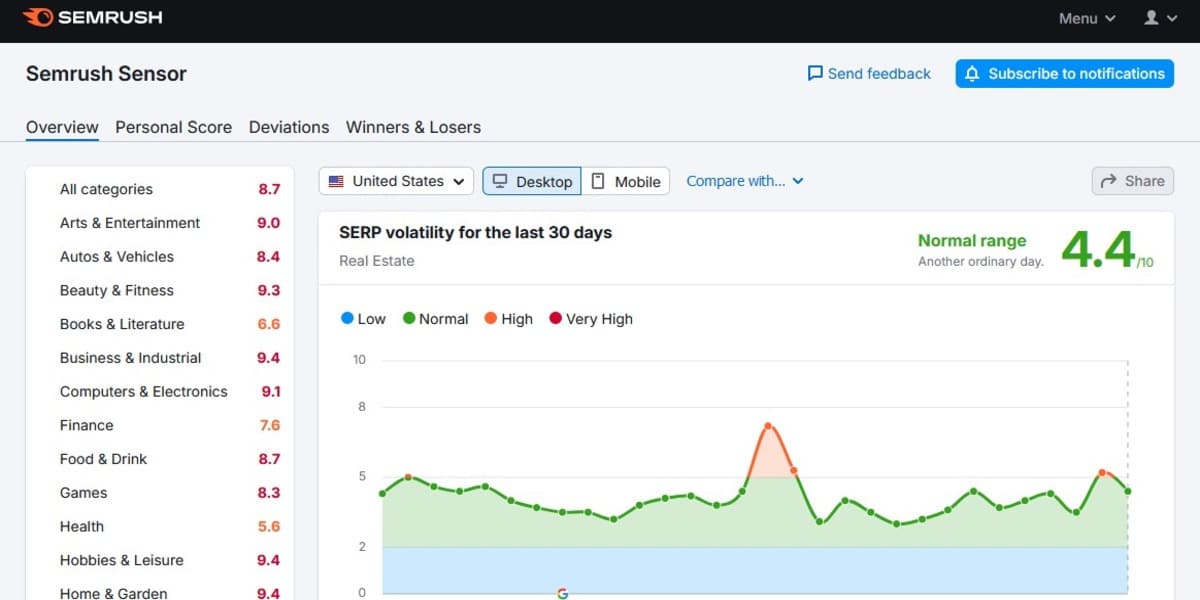
Semrush is a great all-in-one SEO tool suite on the market. It offers full backlink analysis in addition to other SEO features.
Pros:
- Comprehensive link database and in-depth backlink reports.
- Easy Navigation, User-Friendly Interface.
- Historical data should be available so users can see how things have changed over time. Their Backlink Audit Tool is excellent for cleaning up bad links.
Cons:
- Expensive for the small businesses.
- You get restricted data with the free version.
Majestic
Majestic is dedicated to analyzing backlinks, and its unique features are a robust database and distinct metrics such as Trust Flow and Citation Flow.
Pros:
- It provides backlink analysis only and a full range of insights. It’s a specialist tool.
- It offers a high-volume database that will, at times, be able to identify more links than Ahrefs.
Cons:
- No extra SEO features: No keyword research or site auditing.
- Its user interface could be less intuitive than some other tools.
Mangools
Mangools are a great option to start if you are looking for something easy to use and you don’t want to spend too much money. It offers many tools, including LinkMiner for backlink checking.
Pros:
- Interface that is easy to use — separate tools for separate activities.
- It is cheaper than Ahrefs, which makes it a decent option for small-scale businesses.
Cons:
- Less powerful than all-in-one solutions like SEMrush or Ahrefs.
- It is not suitable for more advanced users who want access to all data.
SEOptimer
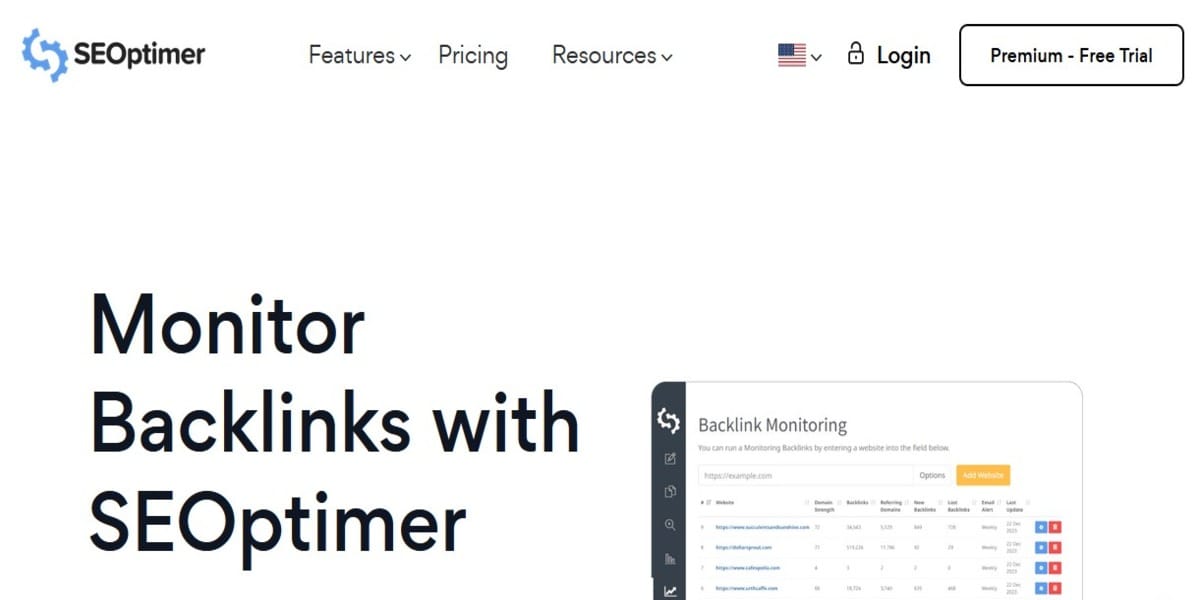
SEOptimer is an SEO tool that offers backlink and keyword tracking features and more, best for users who want to see their link profile development over time.
Pros:
- Beginner-friendly with painless setup and clear reporting.
- Contains a disavow tool to control malicious links.
Cons:
- Lacks in some advanced features compared to Ahrefs.
- It sources data from other sources.
- Not good for users performing in-depth analysis of data.
OpenLinkProfiler
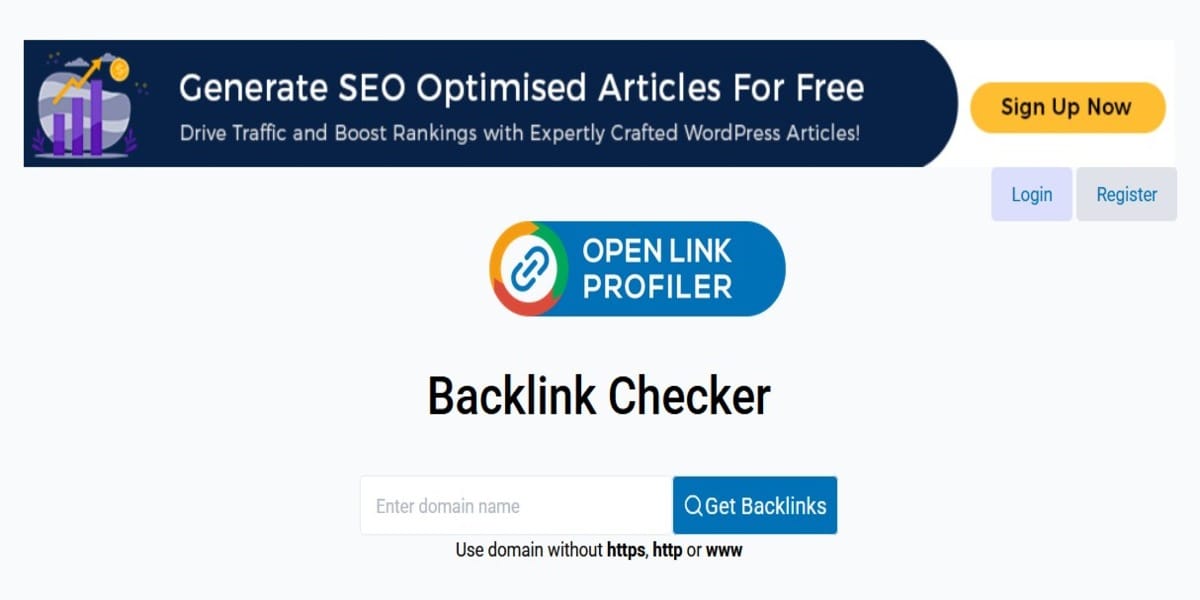
OpenLinkProfiler is a basic tool that is free to use. It’s a good starting point if you can use it to analyze backlinks without any limitation.
Pros:
- It’s 100% free to use.
- It offers basic backlink data without needing an account.
Cons:
- It does not provide the premium features and in-depth analytics of paid tools
- It is not suitable for professional SEO agencies.
Conclusion: Making Ahrefs Work for You
Ahrefs Backlinks Checker is a must-have for anyone looking to implement some solid backlink management strategies as part of their website SEO performance efforts. The wide range of databases, ease of use, and advanced analytic tools available makes this an essential tool for beginners and professionals alike.
By learning how backlinks work and utilizing the features that Ahrefs provides, users can go a long way in improving their online presence, increasing search rankings, and eventually driving more traffic to their websites. When used regularly, this tool keeps your backlink profile healthy. It also reveals valuable context in competitive landscapes in just about any vertical.
Learn why you need both Content Marketing and SEO to succeed online. Also, contact us or leave us a message on Facebook, X (Twitter), or LinkedIn for outreach link building solutions that can help you grow your online business.
Sources:
- www.ahrefs.com/backlink-checker
- www.ahrefs.com/blog/find-backlinks/

Stop Eggnogging Around: 4 Holiday Outreach Templates That Land Links
The Gift Guide Gold Rush: Your Backlink Strategy for High-DA Sites