
Every product manager or business owner eventually hits a wall where they have to decide: do we build this feature from scratch, or do we lean on a Software Development Kit (SDK) to get the job done? If you’ve ever tried to build a high-performance PDF editor or a secure payment gateway from the ground up, you know it’s a nightmare. It’s expensive. It’s slow.
So, you look for an SDK. But then comes the real fork in the road. Do you go with something like PDFium (open source) or a heavy-hitter like PSPDFKit or Foxit (proprietary)? It isn’t just a matter of price. It’s a choice about who really owns your roadmap—and who’s on the hook when things go sideways at 2:00 AM.
The Decision at a Glance
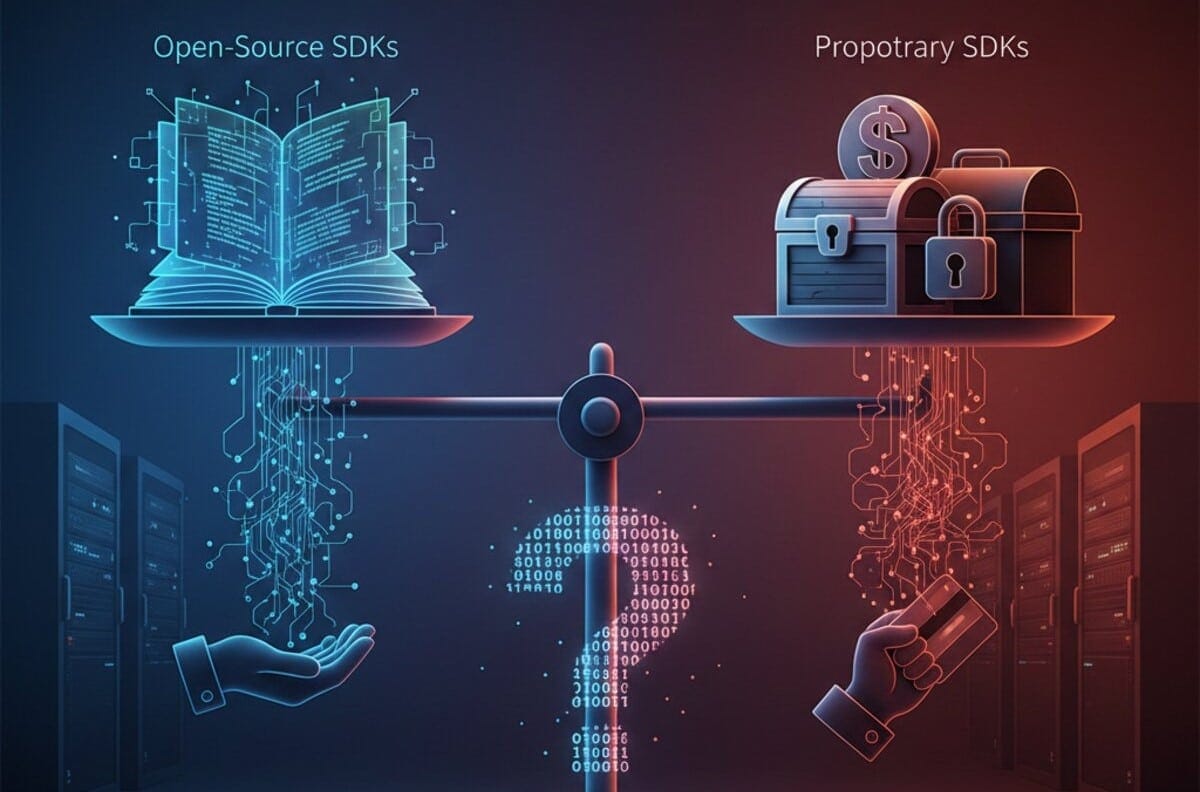
Choosing between open-source and proprietary kits isn’t just about the initial price tag; it’s about weighing quick savings against the long-term grind of maintenance. Open-source gives you total transparency for zero dollars upfront, but proprietary tools bring the kind of dedicated support and security “blanket” that companies need as they scale. Ultimately, you want your devs focused on the features that actually make you money, not fighting with a library’s internal bugs.
What Are We Actually Talking About?
At its simplest, an SDK is just a pre-packaged toolbox. It’s got the APIs to talk to other software, the libraries that do the heavy lifting, and the documentation that—with any luck—is actually readable.
When you pick an open-source SDK, you get the blueprints and the tools for free. You can see every line of code. You can change it. You can break it. It’s yours to play with. But when you go proprietary, you’re paying for a black box. You don’t see the inner workings, but you get a team of engineers who promise that the box will work exactly as advertised, or they’ll lose a customer.
The Freedom (and Friction) of Open Source
There is an undeniable pull toward open source. Why pay a licensing fee when you can download Flutter or use React Native for free? For a startup on a shoestring budget, this is often the only way to get a prototype out the door.
- Customization without Permission: If an open-source tool doesn’t do exactly what you want, you just rewrite the part you don’t like. You don’t have to wait for a “v2.4” update from a vendor.
- The Community Safety Net: You’re rarely alone. If there’s a bug in a popular open-source kit, someone on GitHub has probably already complained about it, and someone else has probably posted a workaround.
But—and this is a big but—open source isn’t “free” like a free lunch; it’s “free” like a free puppy. You have to feed it. You have to clean up after it. If a security vulnerability like the Log4j crisis happens again, the patch is entirely on your shoulders. There is no one to call for a refund if your app crashes on a new iOS update.
Why Some Businesses Pay the “Premium”
I’ve seen plenty of companies start with open source and then, as they hit 50,000 users, they panic and switch to a paid SDK. Why? Because scale changes the math.
Proprietary SDKs, like those from Stripe for payments or Twilio for communication, offer a level of “polish” that’s hard to replicate. You’re paying for someone else to stay awake worrying about security compliance and cross-platform glitches.
- Deep Functionality: Let’s be honest. Some things are just hard to code. Advanced electronic signatures, PDF/A archival standards, or complex OCR (Optical Character Recognition) are usually handled much better by companies whose entire survival depends on those specific features.
- The “One Neck to Wring”: This sounds harsh, but in business, it’s vital. If your payment system goes down, you want a dedicated account manager you can hold accountable. With open source, you’re just another person posting an “Issue” on a public repository and hoping someone feels like answering.
Making the Final Call
Is your project a unique experiment or a mission-critical business tool?
If you are building a simple internal tool to render some basic text, an open-source library is a no-brainer. Don’t waste your budget on a license you don’t need. But if you’re a Fintech firm handling sensitive data, or an e-commerce site where every millisecond of lag costs you money, the “expensive” proprietary SDK might actually be the cheapest option in the long run.
Think about your developers. Do they have the time to become experts in the guts of an open-source library? Or would you rather have them building the stuff your customers actually care about?
It’s a tough balance. Sometimes you need the freedom of the open road, and sometimes you just need a car that you know for a fact is going to start in the morning.
What’s your experience been? Have you ever regretted going the open-source route, or did a proprietary license fee once eat your entire project’s margin? Let’s talk about it in the comments below! For more deep dives into the tools shaping the dev world, follow us on Facebook, X (Twitter), or LinkedIn!
Sources:
- www.aws.amazon.com/what-is/sdk/
- www.devblogs.microsoft.com/azure-sdk/

CRM Marketing Automation in 2026: The Strategic Guide to Scaling Your Revenue
The Industrialization of Fraud: How to Stay Secure in a Deepfake World